Adding Driver Packs
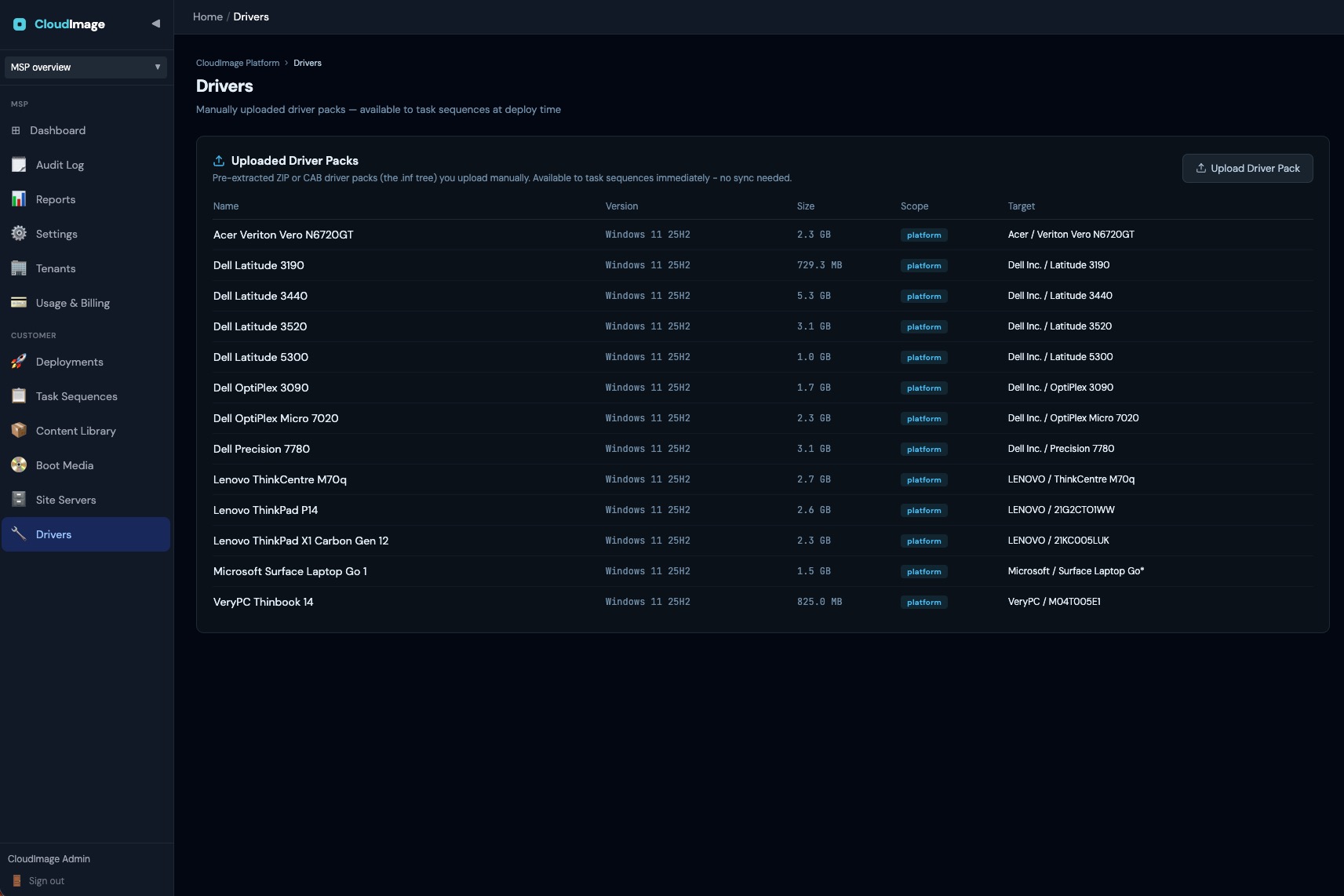
Drivers make the deployed Windows talk to the specific hardware (storage, network, chipset, etc.). CloudImage injects them during the WinPE phase.
Format matters
A driver pack must be a pre-extracted ZIP or CAB containing the driver .inf tree. Do not upload vendor .exe or .msi installer packs: the WinPE environment cannot run installers, so they cannot be extracted on the device. This is the same approach used by MDT, Configuration Manager, and OSDCloud - extract once, deploy many times.
Prepare the pack (one-time, on a normal Windows PC)
Extract the vendor pack into its .inf folder tree, then zip it.
Microsoft Surface (.msi)
The MSI will not run on non-Surface hardware, but you don't need to run it - just extract its files with a tool that doesn't invoke Windows Installer:
lessmsi x "Surface Laptop Go.msi" "C:\DriversOut\"Install lessmsi via winget install LessMSI, or use 7-Zip: right-click the MSI → 7-Zip → Extract to….
Dell / HP / Lenovo (.exe)
Most vendor packs self-extract:
packname.exe /s /e=C:\DriversOutOr extract with 7-Zip: 7z x packname.exe -oC:\DriversOut. Many vendors also publish a WinPE CAB driver pack - those work directly.
Confirm C:\DriversOut contains folders with .inf, .sys, and .cat files, then zip that folder - e.g. Surface Laptop Go.zip.
Upload the pack
- Content Library → Upload Content.
- Name it after the model, e.g.
Microsoft Surface Laptop Go. - Set Type to Driver Pack.
- Choose the Scope.
- Target manufacturer and Target model (recommended):
- Manufacturer: e.g.
Microsoft,Dell,Lenovo. - Model: a pattern with wildcards, e.g.
Surface Laptop Go*,Latitude 3440*. - A pack with a target is auto-injected only onto matching devices. A pack with a blank manufacturer is never auto-injected (you can still tick it manually on a Task Sequence step).
- Manufacturer: e.g.
- Select your ZIP or CAB file and upload.
How matching works at deploy time
During the Inject Drivers step, the agent reads the device's real manufacturer and model and injects only the packs whose target matches (e.g. a Surface Laptop Go pulls the Surface pack, never a Lenovo one). If no pack matches, the device falls back to Windows Update for drivers at first boot - the deployment always completes either way.
Recommended fallback: add a Windows Update step (with drivers enabled) followed by a Reboot before Entra ID Join + Intune, so Windows can source any missing drivers your packs didn't cover and the machine is fully settled before enrolment. See Windows Update + Reboot before Entra ID Join.