Bare-metal imaging
at cloud speed.
Rebuild any device from bare metal, over the internet, in minutes. CloudImage is a multi-tenant OS deployment platform built for MSPs and direct customers - Windows, drivers, apps, Office, and Intune enrolment, all automated from a USB or on-site PXE boot.
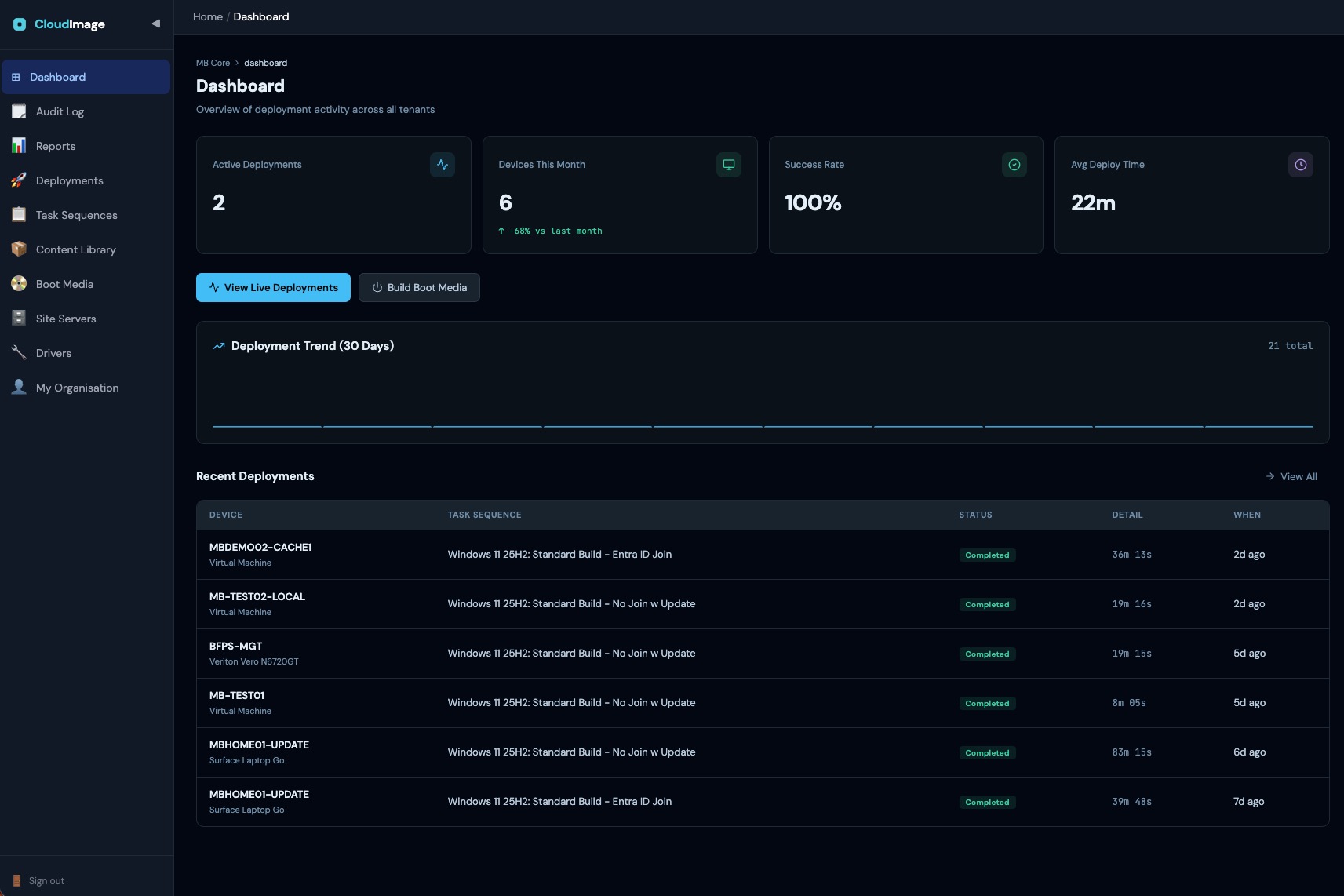
Apps, Office and Intune enrolment continue unattended after first boot.
Assume the worst. Rebuild anyway.
When ransomware hits, the network is compromised, the servers are gone, and someone non-specialist is holding a USB stick. CloudImage is built for that moment.
Everything you need to reimage a fleet.
Bare-metal recovery over the internet
Boot from a CloudImage USB into WinPE. The device pulls its OS image, drivers, and apps straight from the cloud - no on-prem imaging server required.
True multi-tenancy, ready for MSPs
One platform, every tenant isolated. Six role tiers, with content shared in tiers: Platform - MSP - Tenant. Build once, reuse across every customer - whether you manage one fleet or one hundred.
Automated task sequences
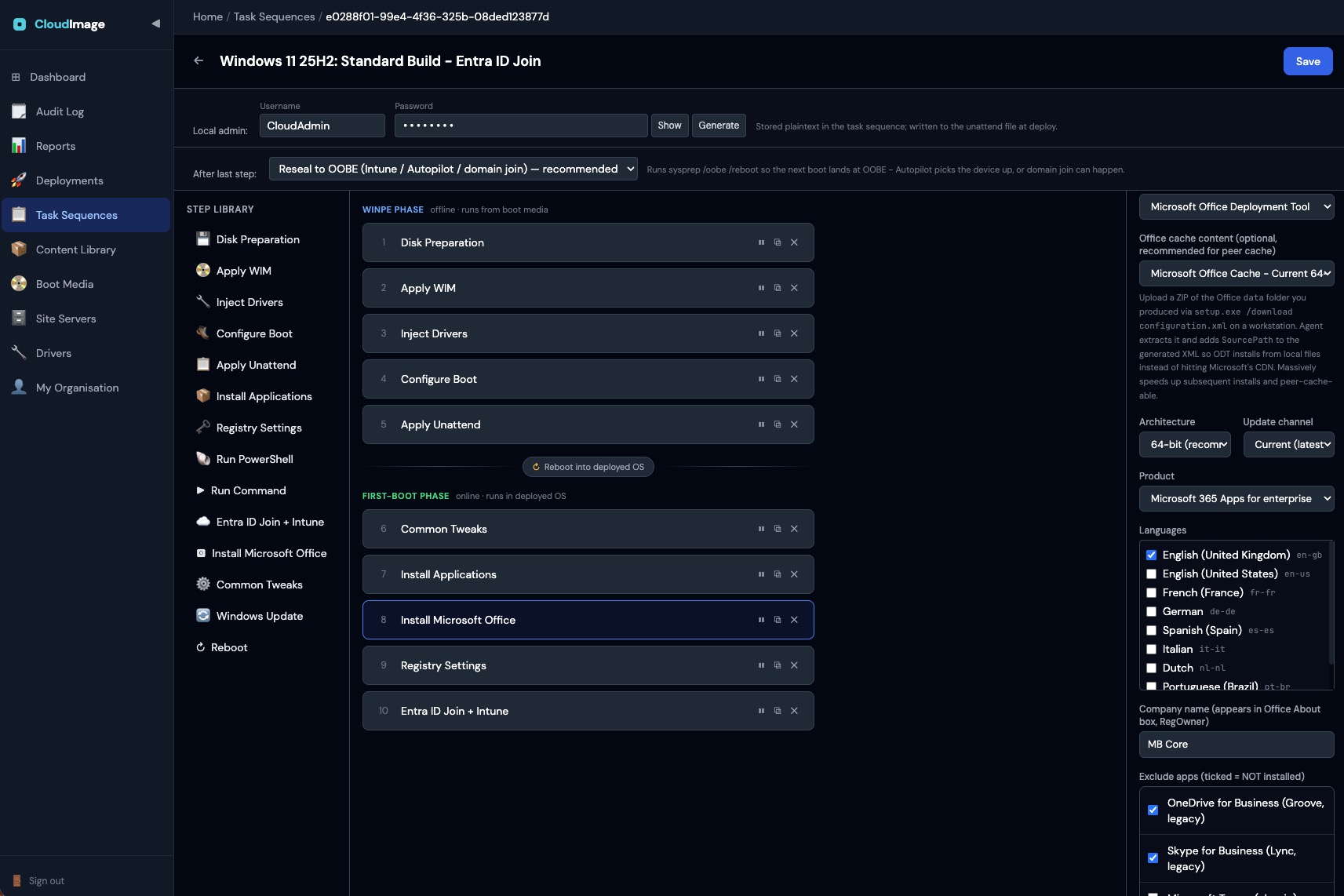
Drag-together steps: apply image → inject drivers → install apps → Office → registry tweaks → Entra/Intune join → reboot. Unattended on first boot.
Smart driver matching
Packs are targeted by manufacturer and model (with wildcards) and matched automatically against the device's real hardware inventory. If nothing matches, Windows Update supplies drivers at first boot, so the deployment always completes.
Microsoft Office, done right
Generates the Office configuration per client and installs via the official Deployment Tool. Optional pre-downloaded cache for zero-CDN installs.
Entra ID · Intune · Autopilot
First-boot Autopilot registration: collects the hardware hash in the full OS, registers with its group tag, and hands off to OOBE.
Every step, every device, as it happens.
Real-time progress streams to the portal over SignalR. No more "is it done yet?" - the step timeline reports back live from every machine on the LAN.
- Disk PreparationDiskPrep9s
- Apply WIMApplyWim7m 43s
- Inject DriversInjectDrivers0s
- Configure BootConfigureBoot1s
- Apply UnattendApplyUnattend2s
- Common TweaksCommonTweaks12m 39s
- Install ApplicationsInstallApplications19m 29s
- Install Microsoft OfficeInstallOffice-
- Registry SettingsRegistrySettings-
- Entra ID Join + IntuneEntraIdJoin-
Drag together a task sequence. Ship it to every client.
What's coming next.
Directional, not committed. Every item below is on the roadmap - not available today.
- Single sign-on (Entra ID)Coming soon
- Staged deployment pipelineComing soon